All-in-one event management solution for your restaurant

Manage your events with ease. Get rid of chaos.

Managing multiple events can quickly get out of hand. Create event timelines, plan menus, assign staff, track every task, create shopping lists and auto-generate documents - from one dashboard where everything connects.
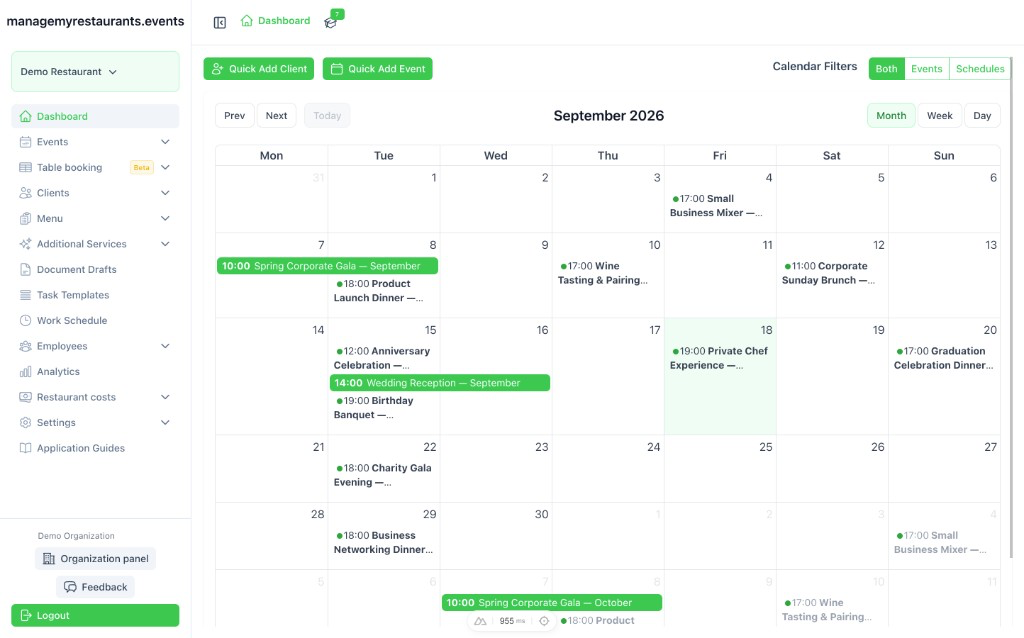
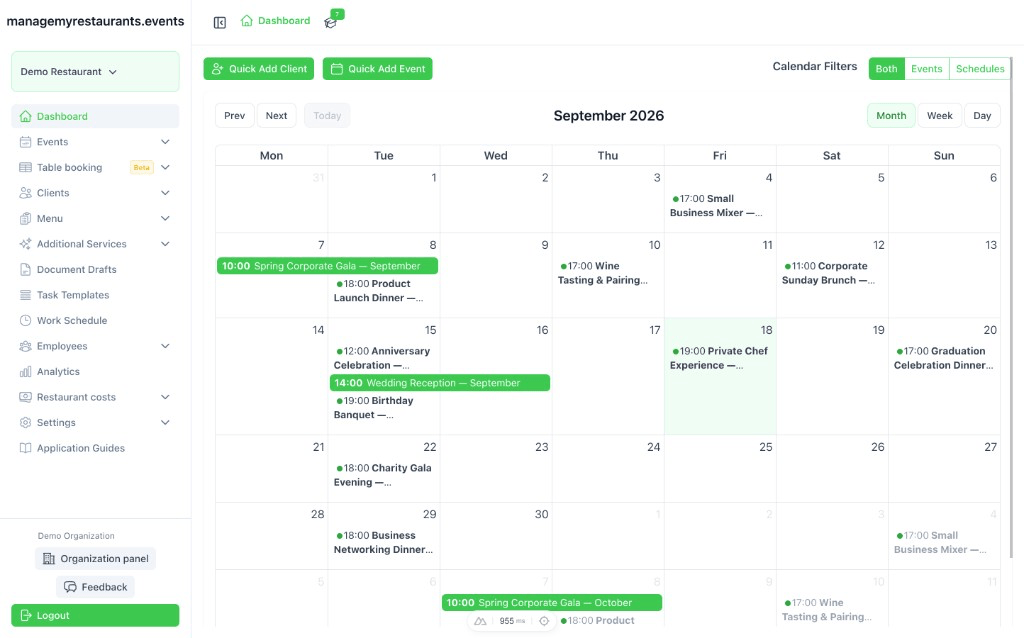
Restaurant management dashboard displaying a calendar for March 2026 with events like "Spring Corporate Gala" and "Wedding Reception" highlighted.
See It In Action

Watch How It All Connects

A quick walkthrough showing how events, menus, staff schedules, and documents work together in one place.

One tool to handle every event management aspect

  • Event centered approach

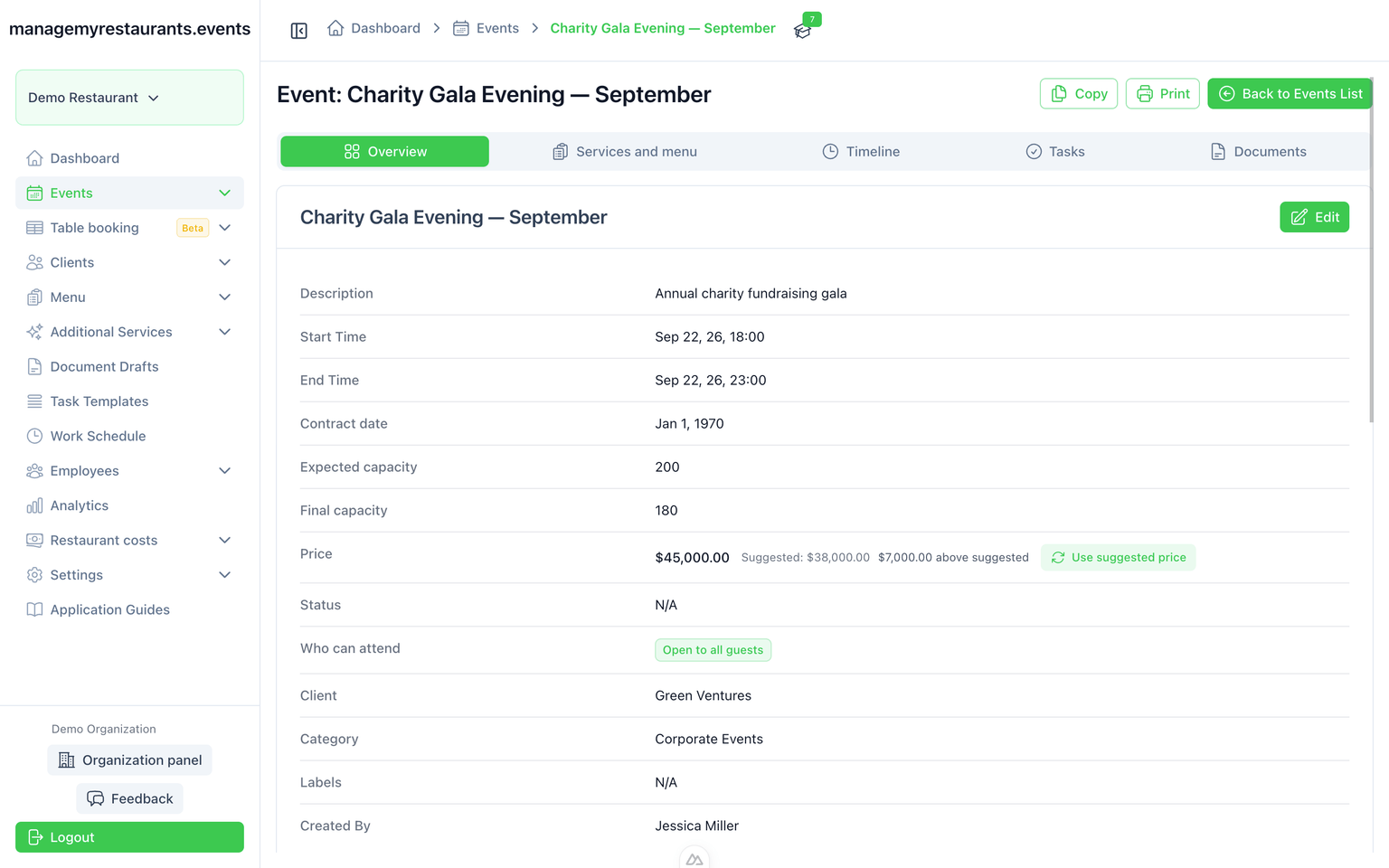
    The core of each event is the client and event details. Each additional module is available right away and optional. You decide what you need and how you use it.

  • Build a system that works for you

    Configure menus, task lists, timelines, and documents to match how your venue runs. Reuse the elements you've set up on every new event — no starting from scratch each time.

  • One place for your whole team

    Menus, timelines, tasks, and documents — in one place, for every team member. No more “where is that?” or scattered versions in emails. Everyone sees the up-to-date information they need to make the event a success.

landing.waitlist.badge

landing.waitlist.title

landing.waitlist.subtitle

landing.waitlist.privacyPrefix landing.waitlist.privacyLink landing.waitlist.privacySuffix

Features

All the tools you need for your event to succeed

Add your client and their event in even less than a minute. Work on details - creating menus, tasks for tracking preparations progress, timeline for everything that happens, reusable documents with access to event scoped information. Have everything in one place when the time comes.

Dashboard

Dashboard to get all events in one place and easily navigate between them
Restaurant management dashboard displaying a calendar for March 2026 with events like "Spring Corporate Gala" and "Wedding Reception" highlighted.

Menus

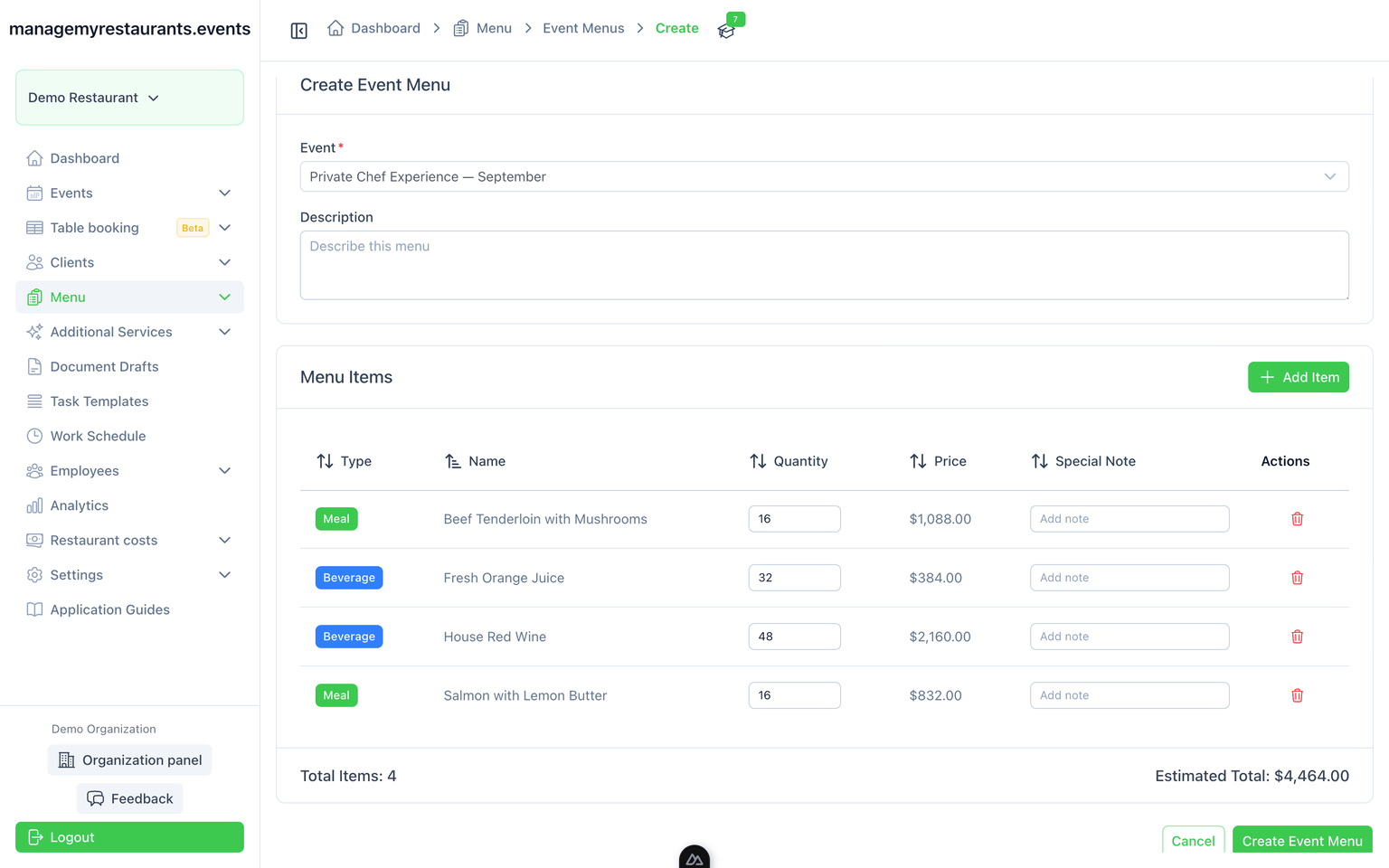
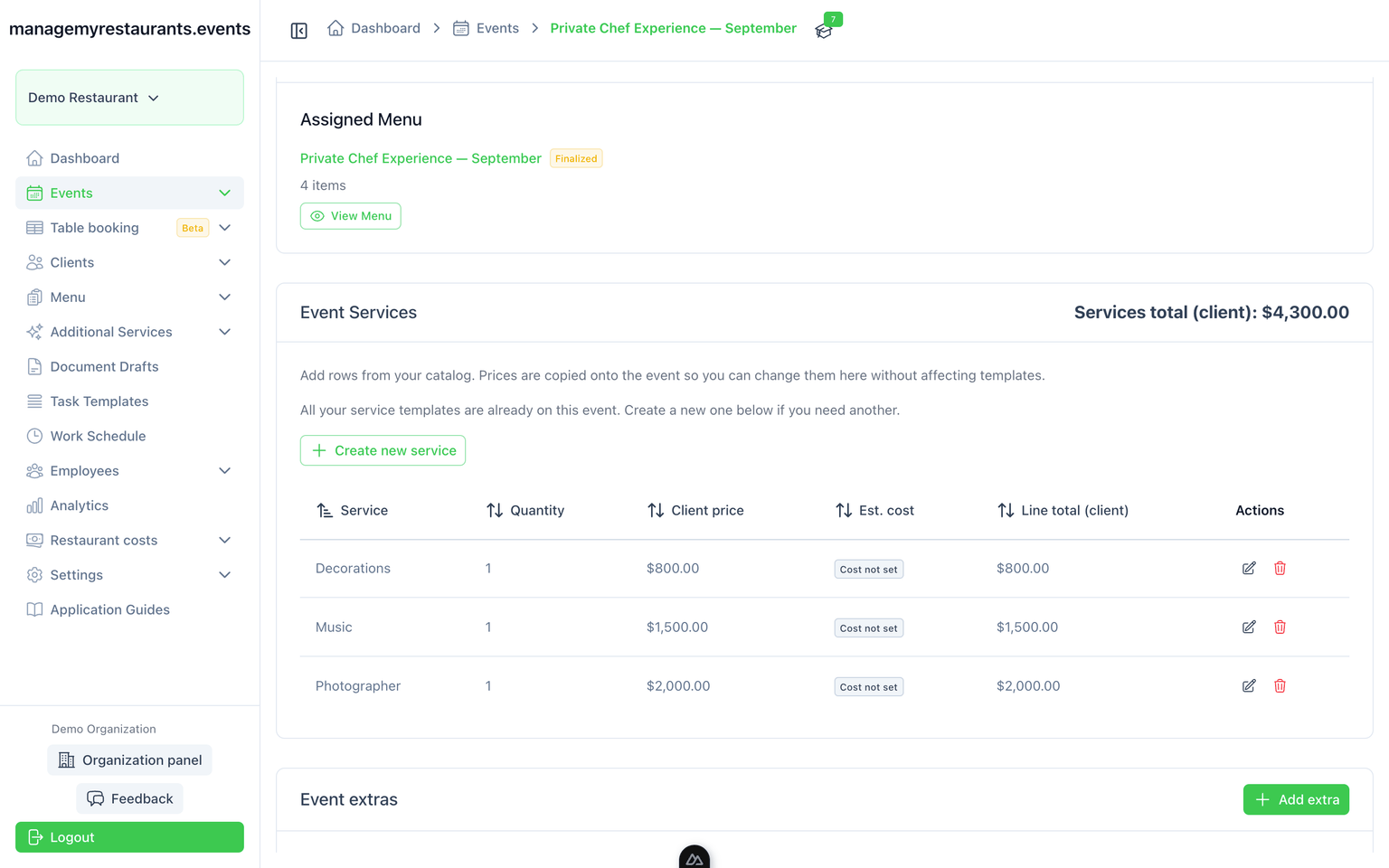
Make sure your kitchen knows exactly what to prepare and what they need for that. Create detailed menus with as little as just meals and beverages list, or as detailed as every needed ingredient with its amounts. Get that on a shopping lists once menu is finalized and assess exact costs without over-ordering.
Menus

Timelines

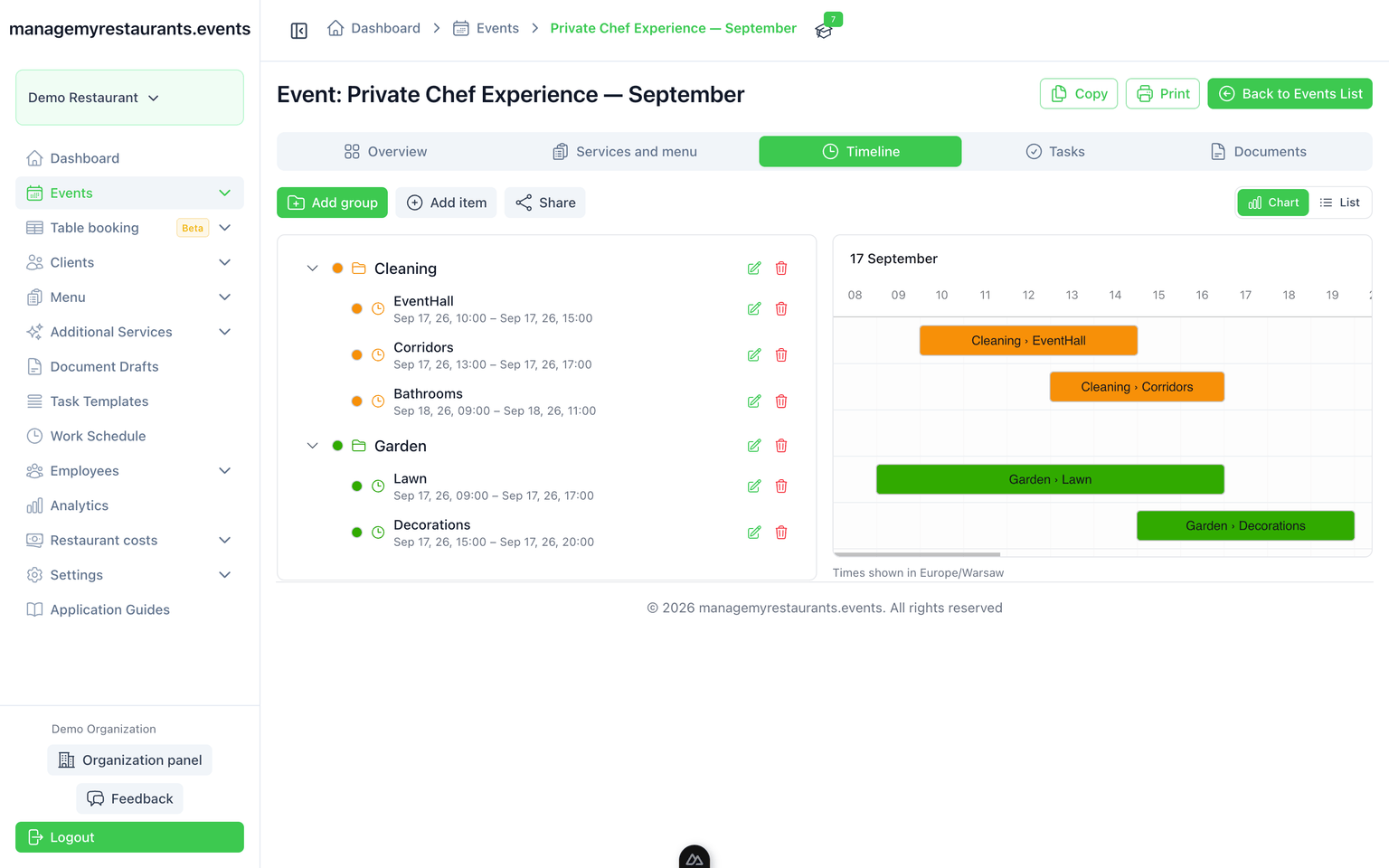
Plan everything to the last minute and execute it perfectly. Share it with your staff to make sure they know their duties at all times.
Event schedule for "Spring Corporate Gala" on June 7-8, including venue walkthrough, florals install, entertainment, and dining.

Documents

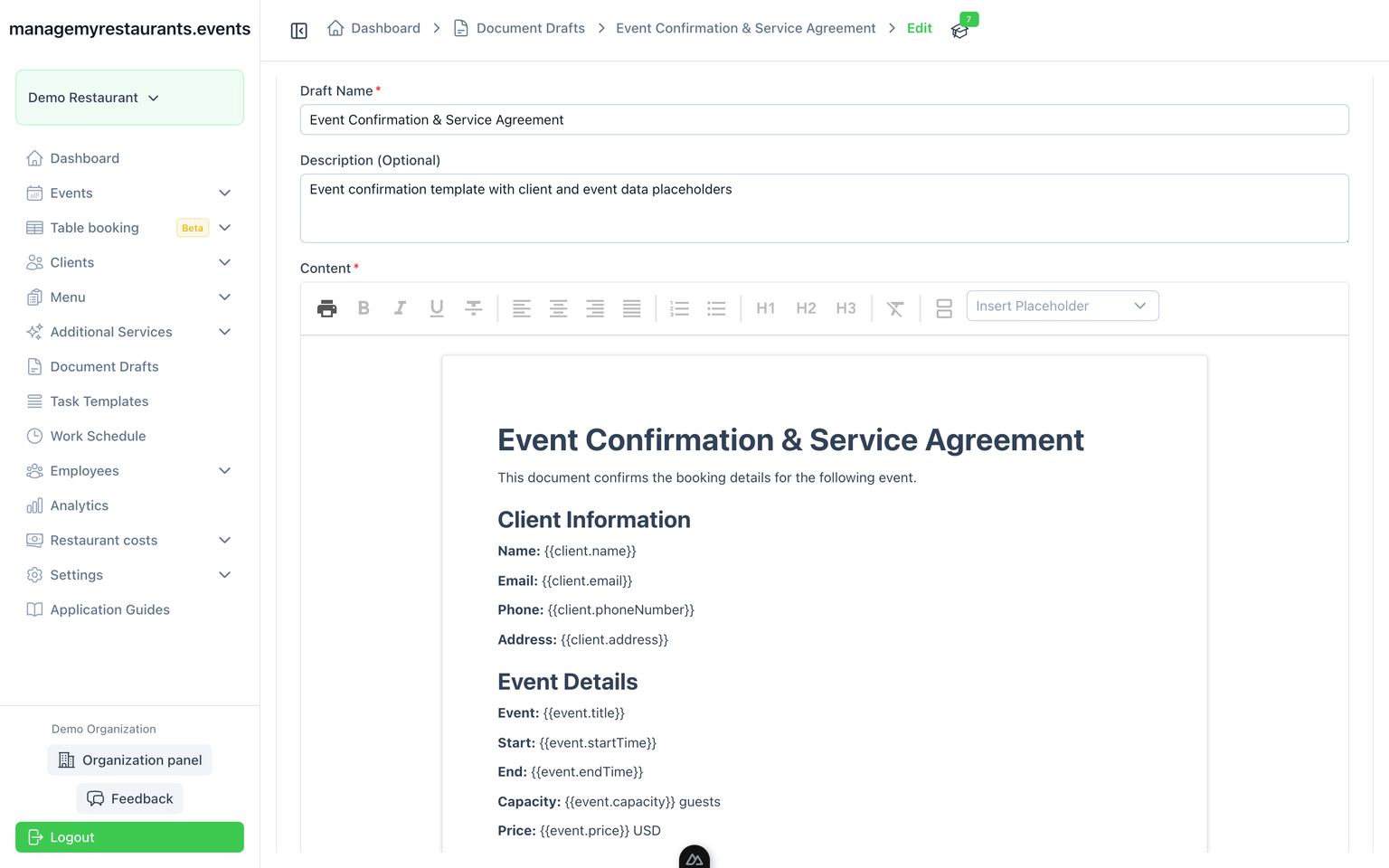
Prepare templates that access information on the client, event and you restaurant to speed up the documentation process.
Editable document draft titled "Event Confirmation & Service Agreement" with client and event data placeholders.

Task templates

You always need to go through same hall cleanup checklist, or event related checkpoints? Create predefined lists and copy the tasks to event board to never skip a thing again.
Kanban board for the Spring Corporate Gala with columns for To Do, In Progress, and Done; tasks listed under To Do.
How It Works

Up and running in 3 steps

From first login to your first managed event -- it takes minutes, not days

Sign Up & Set Up Your Restaurant
Create your account, name your restaurant, and invite your team members.
Add a Client & Create Your First Event
Add a client and schedule an event—that's all you need to start managing.
Expand with Modules & Workflows
Turn on menus, task boards, documents, and more as your events grow in complexity.
Step 0 of 0
Ready to get started?
Join managemyrestaurants.events and see the difference in your first event
Create Your Account

Simple, transparent pricing

One plan, all features. No hidden fees.

landingStoryblok.errorTitleFallback
landingStoryblok.errorDescriptionFallback

Ready to run your next event without the chaos?

Create your account and see how events, menus, staff, and documents come together in one place.
landing.faq.badge

Frequently Asked Questions

landing.faq.subtitle